Disassemble Your Lumix Digital Camera To Clean Dust Off the Sensor
(Comments posted on the video page indicate that this procedure works for many of the Panasonic digital cameras–happy cleaning!)
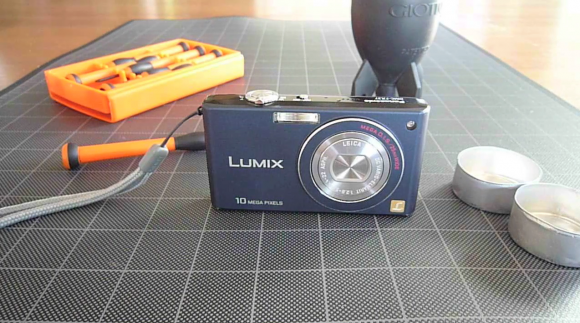
My Panasonic FX37 is a great camera. Fast, wide-angle lens, (f/2.8, 25mm equivalent) in a compact package with all the modern features (image stabilization, HD video, facial recognition, etc). And it takes really nice photos. However there is one downside: its sensor seems to attract dust, which is especially noticeable when zooming in on a bright object (such as the sky).
I’m not sure if this is a matter of the case being poorly sealed compared to other pocket cameras, but it is frustrating. Thankfully, the remedy is fast and simple: by removing a few small screws, you are able to access the sensor inside the camera. A few bursts of air and a quick reassembly is all it takes to be snapping photos like the camera is brand new.
I made a quick video tutorial of how to access and clean the sensor– the entire process takes less than 10 minutes. Make things smoother on yourself by getting the tools together before starting the process. You don’t want to leave the case open any longer than necessary.
Here’s what you’ll need: Mini screwdrivers • Blower or compressed air •Lint-free cloth • Receptacles for screws and parts • Clean workspace.
Be careful disassembling your camera. This will almost surely void your warranty (a warranty that probably can be used to have the company clean the sensor for you), so be certain that you are willing to risk breaking your camera forever. I take no responsibility for any damage incurred following these instructions. Now, go clean that sensor!

Hi, I'm Mike. I’m the executive editor of Make: magazine, and host of Discovery channel’s Punkin' Chunkin' and Catch It Keep It, TV shows where I build and explain crazy machines that crush stuff, blow things up, shoot fire, all in the name of science.
I've previously worked at Wired and ReadyMade magazines, writing about how to utilize new technology in our everyday lives.
This site is where I keep a list of instructions for fun projects I've done, am working on, or draw inspiration from. I encourage everyone to get involved — get up and do something!